
Table of Contents
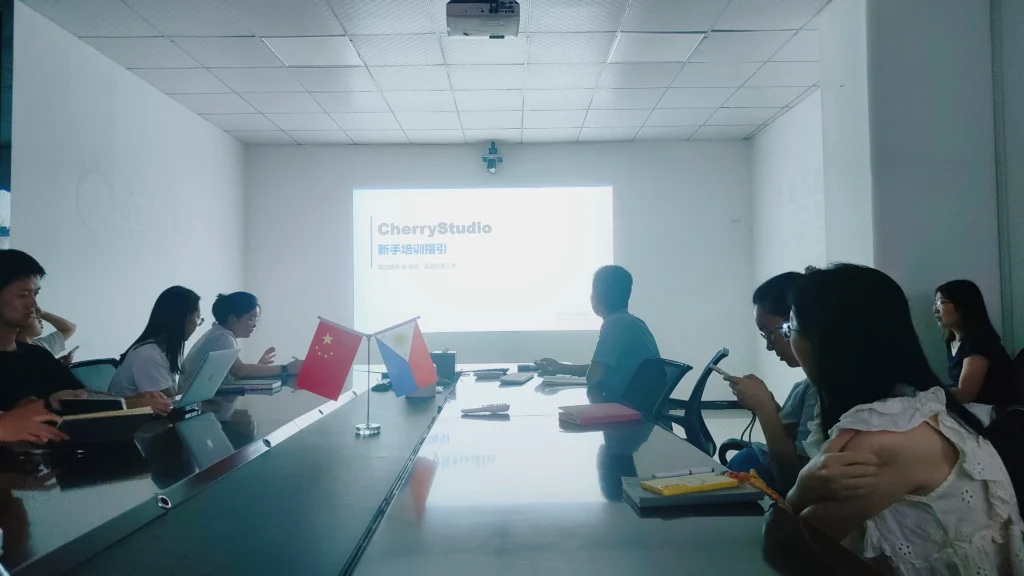
Last month, we held a two-day AI training session internally at Sresky.
To be honest, there were differing opinions within the company at first. Some felt that, given our tight business schedule, setting aside two days to learn AI might be “too idealistic.” Others worried that while AI seems to be all the rage, it might not be applicable in actual sales and customer interactions.
But after the two days were over, everyone’s feedback was quite consistent: it wasn’t a question of whether it was useful, but rather that we hadn’t figured out how to use it before.
What’s really holding the sales team back isn’t ability—it’s time management
If you’ve worked in B2B sales, you’ve likely had the same experience:
By the end of the day, the amount of time actually spent on “client decision-making” and “moving orders forward” is surprisingly limited.
Most of the time is fragmented by these tasks:
- Repeatedly revising the tone and wording of emails
- Searching for client information across multiple systems
- Getting interrupted halfway through reading product documentation
- Receiving many inquiries but struggling to quickly prioritize them
Taken individually, none of these tasks are complicated, but when they pile up, they completely disrupt the rhythm of the day.
During our post-training review, we reached a fairly straightforward conclusion:
The problem isn’t low efficiency—it’s the low density of information processing.
Where AI truly makes a difference isn’t by “replacing work,” but by reducing the burden
During the training, we didn’t focus on theoretical concepts; instead, we worked directly with real-world business scenarios.
Take cross-language emails, for example.
Previously, when business colleagues wrote an email in German or Spanish, the standard process was: draft in Chinese → translate → adjust tone → verify technical terminology.
It was normal to go back and forth with revisions, and a single email often took 30–40 minutes.
Later, we switched to a different approach, allowing AI to directly participate in “first-draft generation.”
One particularly noticeable benefit wasn’t that it was “faster,” but rather that we no longer had to agonize over wording.
The most common feedback from colleagues was: “Finally, I don’t have to stare at a single sentence and think about it for ages.”
Feedback from clients was also quite direct; some even replied specifically to say, “This response was more professional and timely than before.”
This change may not seem dramatic, but for international trade or overseas B2B teams, it is actually quite significant.
The second change occurred in “customer information processing”
In B2B business, the most labor-intensive tasks are often those that seem like “just a bit of organization.”
For example:
- Prioritizing a batch of inquiries
- Filling in missing customer background information
- Comparing technical specifications across different versions
- Categorizing after-sales feedback by issue type
These tasks aren’t difficult, but they are time-consuming and prone to errors.
We conducted an experiment during the training:
We fed a batch of real inquiries and dozens of pages of product documentation directly into the AI and had the team design a processing workflow.
One clear result was that:
Content that previously took half a day to organize could now be turned into a “usable version” in just over ten minutes, including:
- Which clients are worth prioritizing
- Which requests pose potential risks
- Which information is clearly missing
Of course, this doesn’t mean the AI directly “makes decisions”; rather, it first organizes previously scattered information into a structured format, after which humans make the final judgment.
This distinction is actually very important in day-to-day work:
AI doesn’t make decisions for you—it reduces the time you spend “searching for information.”

The third change is even more interesting: everyone started creating their own workflows
On the final day of training, we asked everyone to tackle a relatively “open-ended” task:
Identify the three most repetitive tasks in their daily routine and figure out how to link them together using AI.
There were no coding requirements, nor were there any fixed answers.
The results were quite interesting:
One person linked competitor research, weekly report writing, and internal reporting into a single workflow. What used to take several hours a week can now be completed in about half an hour.
Others created a “new client onboarding process,” which included:
- Automatically organizing company background
- Extracting key communication points
- Generating talking points for the first meeting
The sales team noted that the most noticeable change wasn’t speed, but rather that “nothing gets overlooked anymore.”
This point is actually quite crucial:
Many efficiency issues stem not from slowness, but from inconsistency.
The changes weren’t as dramatic as we’d imagined, but they were steady
After the training, we conducted a simple comparison over a one-month period:
- Email processing time dropped significantly (we estimate by about 60%)
- Inquiry screening became faster
- The time spent manually organizing information decreased
- The error rate also dropped slightly
But even more noticeable than these numbers was the change in our work style.
In the past, everyone followed the approach of “handling tasks first, then looking for information.”
Now, it’s more a case of “letting the system organize the information first, then handling the task.”
This shift in order is subtle, but its impact is significant.
One point that’s easy to overlook: AI doesn’t just bring efficiency—it changes the structure of work
We later discussed an issue internally:
If we focus solely on efficiency gains, it is easy to underestimate the impact of AI.
The more important changes are actually:
- People’s time is now concentrated on “judgment” and “communication”
- “Organization” and “repetitive tasks” are gradually being reduced
- The team’s reliance on information has changed
In other words, it’s not that a specific task has become faster, but that the focus of the work has shifted.
Final Thoughts: AI Is Not a Tool Issue, but a Process Issue
Many companies are talking about AI these days, but when it comes to actual implementation, they often get stuck on one point:
It’s not a question of “whether to use it,” but “how to integrate it.”
Our experience this time was quite straightforward:
If AI is merely a standalone tool, its value is limited;
but if it is integrated into processes, it will gradually transform the way teams work.
This was also the most tangible takeaway from Sresky’s training session.